Cards turn scattered content into scannable, self-contained units
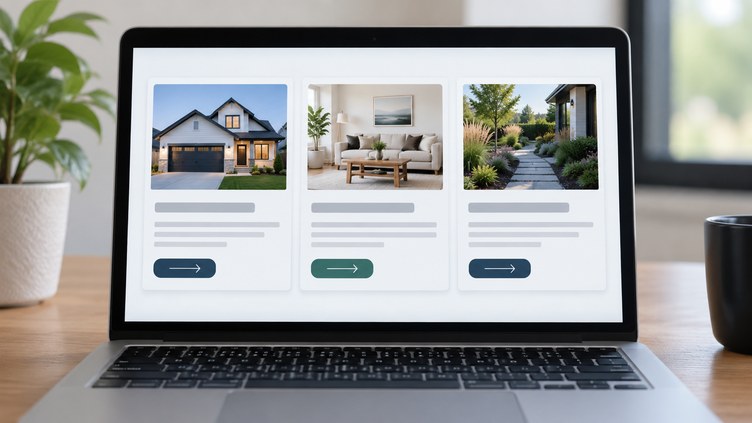
A card is a small container that groups a few related pieces of content around one subject, such as a service description, a blog post preview, or a single product listing. Design systems across the industry describe a card the same way: a container that holds content, and often an action, tied to one topic.
A border, background color, or light shadow visually separates it from the rest of the page.
Many cards work like a short summary that leads to more detail on another page, though some simply show one piece of information with nothing more behind them. Either way, a card groups related content into one unit instead of spreading it across the page.
What a card typically includes
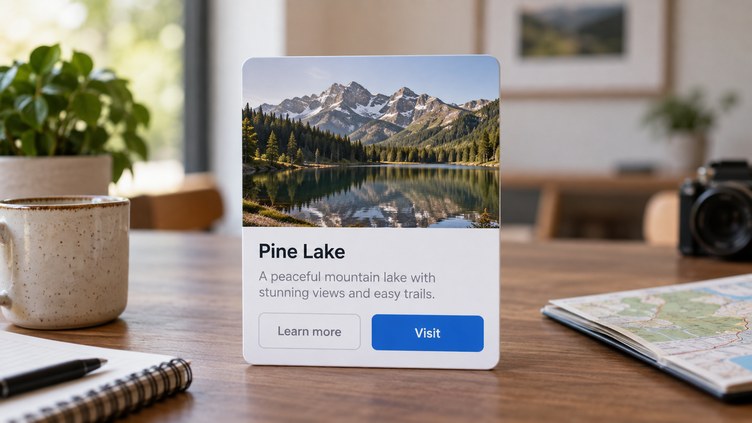
A card is built from a few common parts: a container, an optional header, an optional media area such as an image, a body, and optional actions like buttons. A card still needs enough content to say what it is about, typically a heading or short label, even when other parts are left out.
- A short description or summary of the subject
- An image or other media, when the content calls for one
- One or more actions, such as a button or link, when the card leads somewhere else
The parts a card uses should fit what that content needs, rather than follow one fixed template for every card on a page.
Common card styles and layouts
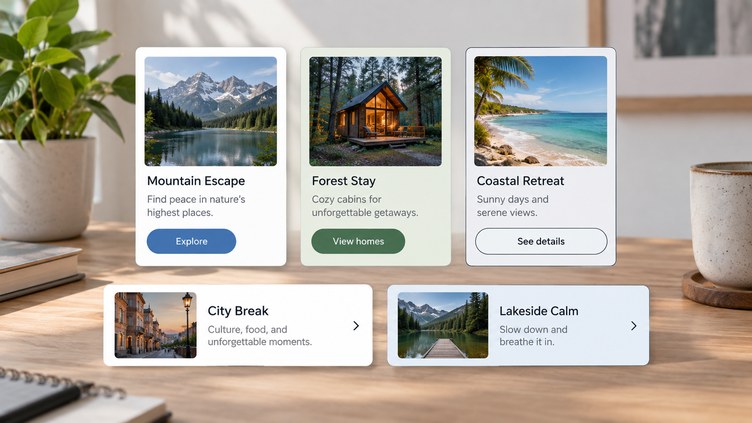
Cards commonly come in three visual styles. Elevated cards use a drop shadow to stand out.
Filled cards use a light background color instead. Outlined cards use a visible border.
Each style gives a different level of emphasis.
Layout is another choice. A card can run vertically, with a header above the body, or horizontally, with content placed left to right.
Some design tools also let you place media in different spots within a card, such as flush with the edge or set inside the padding. These are style choices, not changes to what a card does.
When cards work well, and when they do not
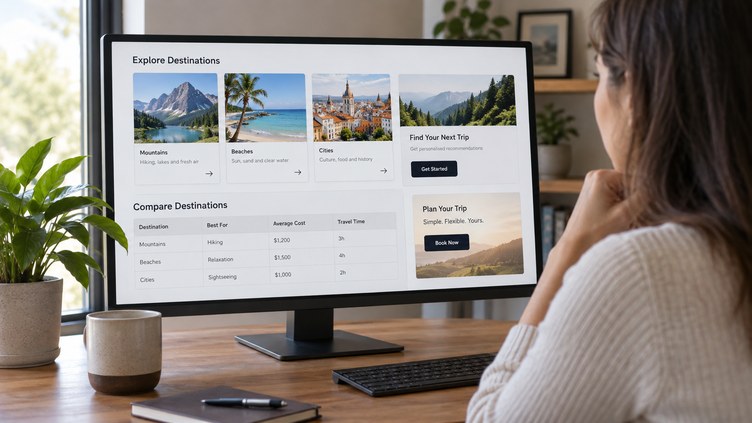
Cards tend to work best when a page shows several types of content side by side, such as a dashboard, an article collection, or a varied website section.
Cards are a weaker choice in a few cases. They are not a good replacement for a row in a table when a visitor needs to scan structured data, and a simple call to action usually works better as a plain button than a full card.
Cards can also make close comparisons harder, since size and content can differ from one card to the next.
This is a decision worth making while a site is being designed, not added afterward. When we design a website at Precise Wolf Digital, we look closely at a client’s content before choosing a layout for it, an approach you can read more about on our web design services page.
Building cards that are usable and accessible
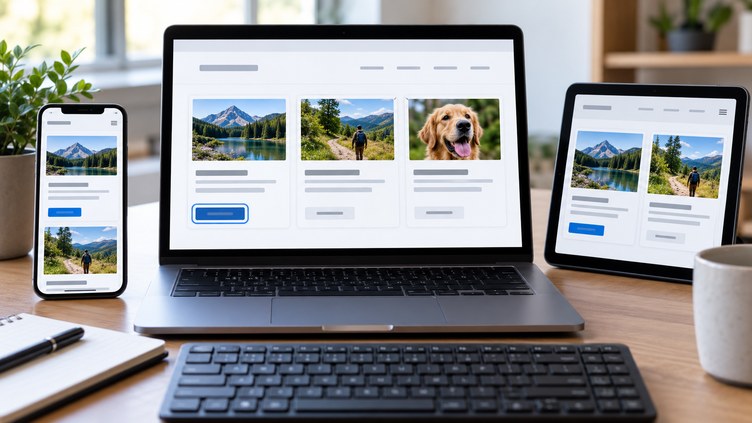
A card layout does not become accessible or responsive automatically; both take deliberate choices during design and development. Accessible means it works well with screen readers and keyboards, and responsive means it adjusts cleanly across screen sizes.
A few habits help. Avoid repeating the same image or wording on every card in a group, since identical content makes cards harder to tell apart.
Size images so they hold up across different screen widths. Use heading levels that fit logically into the page, and set up a group of cards so screen readers can announce how many items it contains.
The USWDS card component page covers this guidance in detail.
Interactive elements need care too. Any button or link inside a card should work with a keyboard alone, with a visible focus indicator showing a visitor’s position on the page.
If a card uses color to signal something, such as a status change, pair it with a text label or icon, so the meaning does not depend on color alone.
Choosing cards is a content decision, not a style choice
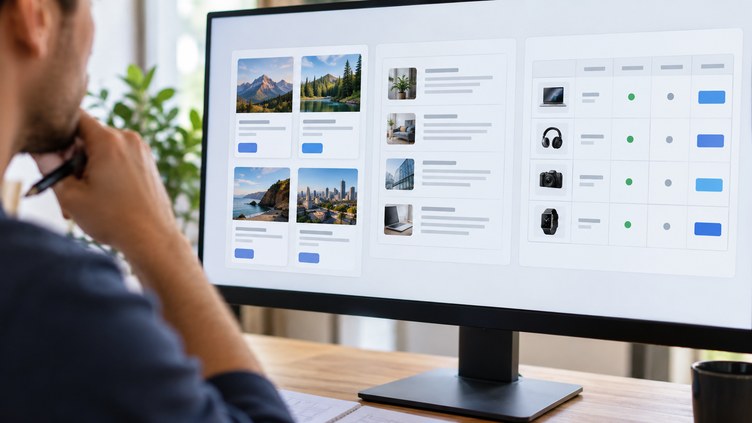
The right layout depends on what the content needs, not on what looks trendy. Cards suit collections of related but varied content, while sequential reading, close comparisons, and structured data usually call for a list or table instead.
Whichever visual style a team picks, the structure and accessibility work behind it matter more than the finish, so it is worth planning during design rather than after a layout is built.
Frequently Asked Questions About Web Design Cards
Can a card include more than one action without becoming cluttered?
Yes, but keep one primary action clear. A card can have a main link plus a secondary action, such as a share button, set apart visually so visitors can tell them apart.
How many columns should a card layout use?
There is no fixed number. Grid-based design tools let a layout use different column counts at different screen widths, so the right number depends on the content and the device.
How do I avoid overlapping click areas when a card has more than one interactive element?
Some card components include a dedicated action area, a defined region that responds to a click, kept separate from any additional buttons inside the card. This helps avoid overlapping click targets on the same card.
Is a tile the same as a card?
Not always. Some design systems treat a tile as a simpler, basic building block, and a card as a more complex pattern built on top of it, often with more actions or layout options.
Should a single call to action get its own card, or just a button?
Usually just a button. When there is only one short action and nothing else worth grouping, a plain button is typically the clearer choice.
Is a card layout still a good choice for very similar, uniform items?
Not always. When items are nearly identical, like a simple photo gallery, a plain list or grid is often easier to scan than a set of cards.